How to use the DfocusGPT chatbot service.
This site provides practical documentation for using the enterprise AI chatbot DfocusGPT.
Below is the guide table of contents. For other info, see About and Blog.
This is the multi-page printable view of this section. Click here to print.
DfocusGPT helps apply LLM capabilities to everyday work.
DfocusGPT’s chatbot service automates applying your organization’s knowledge to an LLM so it can answer accurately using your data.
Hardware progress and model advances (e.g., Transformers) have made AI practically useful. Adopting chatbots earlier improves productivity.
Press Start below!
Read this first to get set up quickly.
This section helps you try the project yourself.
Request a demo: gptsupport@dfocus.net
The customer information below is posted with prior consent. Unauthorized copying is strictly prohibited.
Dfocus delivers projects with global solutions and in‑house tools. Explaining years of accumulated solution expertise is hard even for internal experts. The Dfocus website chatbot provides natural‑language answers about our solutions using DfocusGPT.
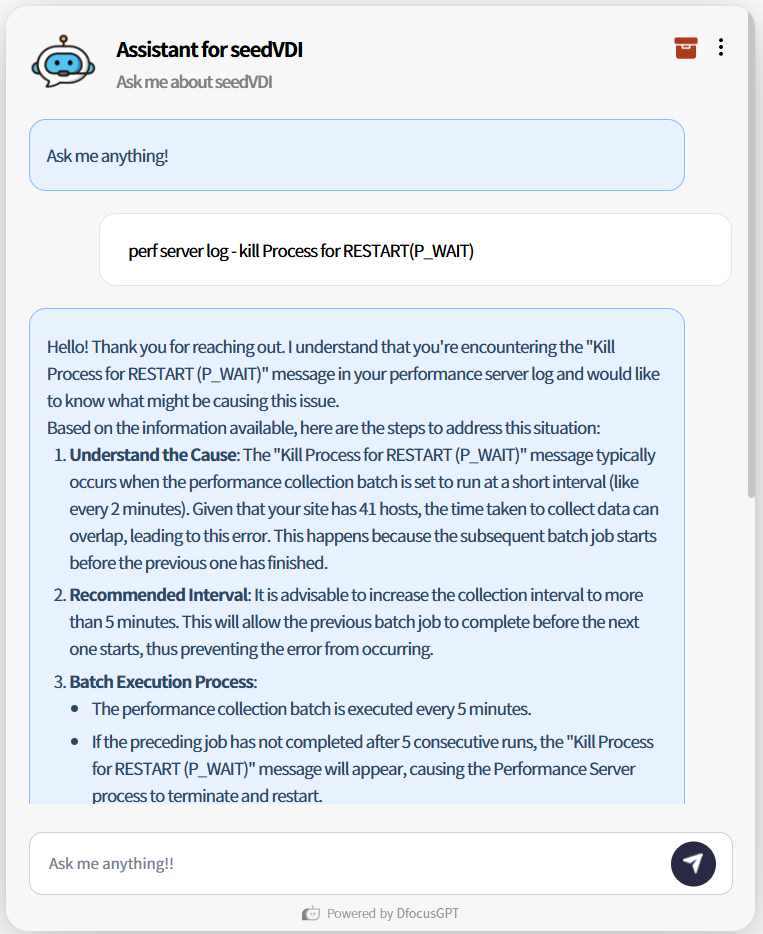
*Even topics like technical log in SeedVDI are explained clearly via LLM answers.
iQuest provides a reasonably priced ERP for SMEs, including the “얼마에요 ERP”, enhanced with AI automation. With tens of thousands of active users and heavy site traffic, agents must guide many users across various solutions. DfocusGPT provides natural‑language initial responses and simple answers to reduce agent load.
*The bot clearly answers that 얼마에요 ERP 4.0 is a SaaS cloud solution usable immediately after signup without separate hardware or installation.
Answers vary based on the question and reference materials.
Guided steps – provides step-by-step instructions when menus are unclear.
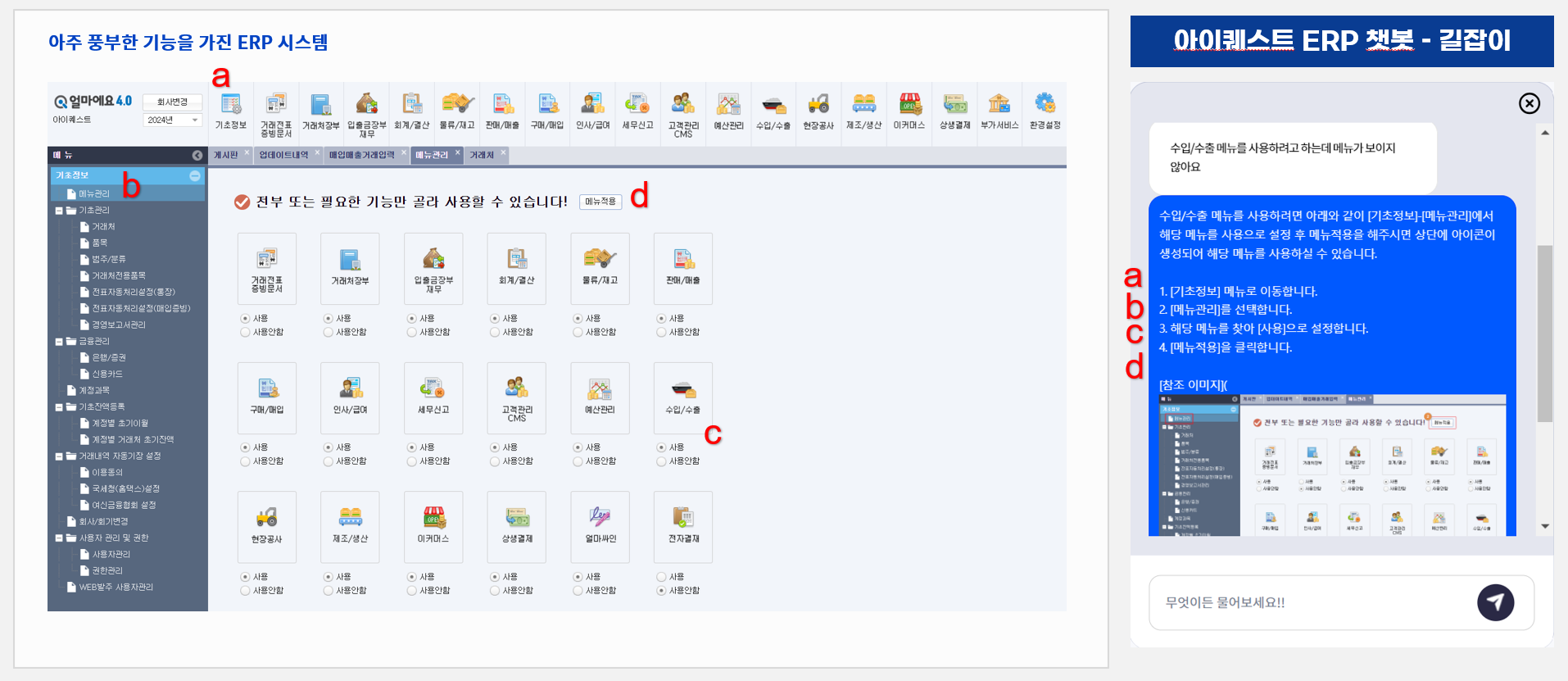
Consolidated answers – gathers scattered info for concise summaries.
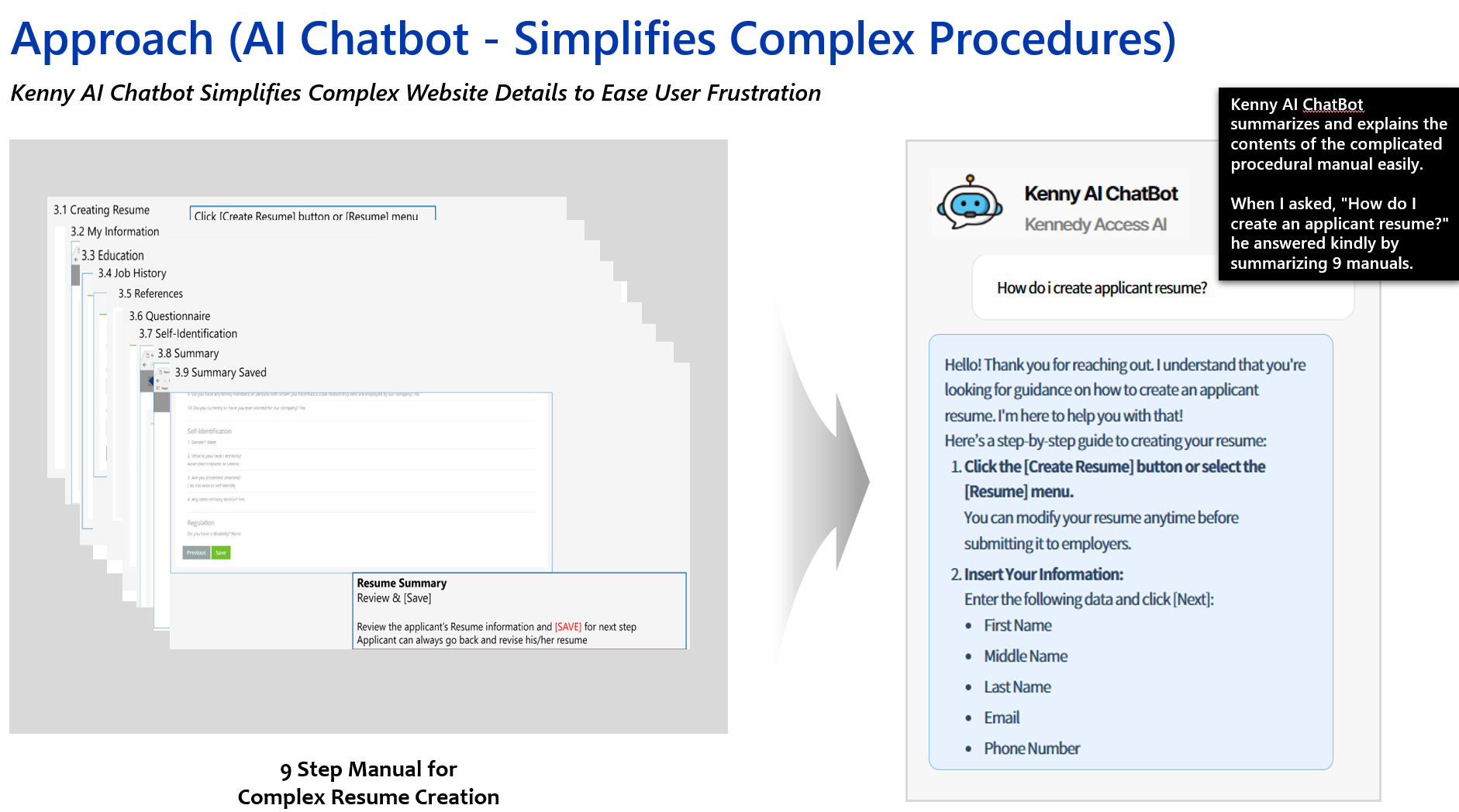
Below is a basic sequence of how user questions are answered.
sequenceDiagram
    autonumber
    loop History
    User->>Chatbot: Question
    Chatbot->>Company KB: Search
    Company KB->>Chatbot: Results
    loop LLM
    Chatbot->>LLM: Prompt (Q + KB + History)
    LLM->>Chatbot: Answer
    end
    Chatbot->>User: LLM answer + sources
    Note right of Chatbot: Store Q&A
    end
Flows may vary by options. Agent handoff and KB management flows are similar.
We update docs continuously; check the service for the latest UI.
We start with the main features.
Tooltips on each icon describe the menu items.
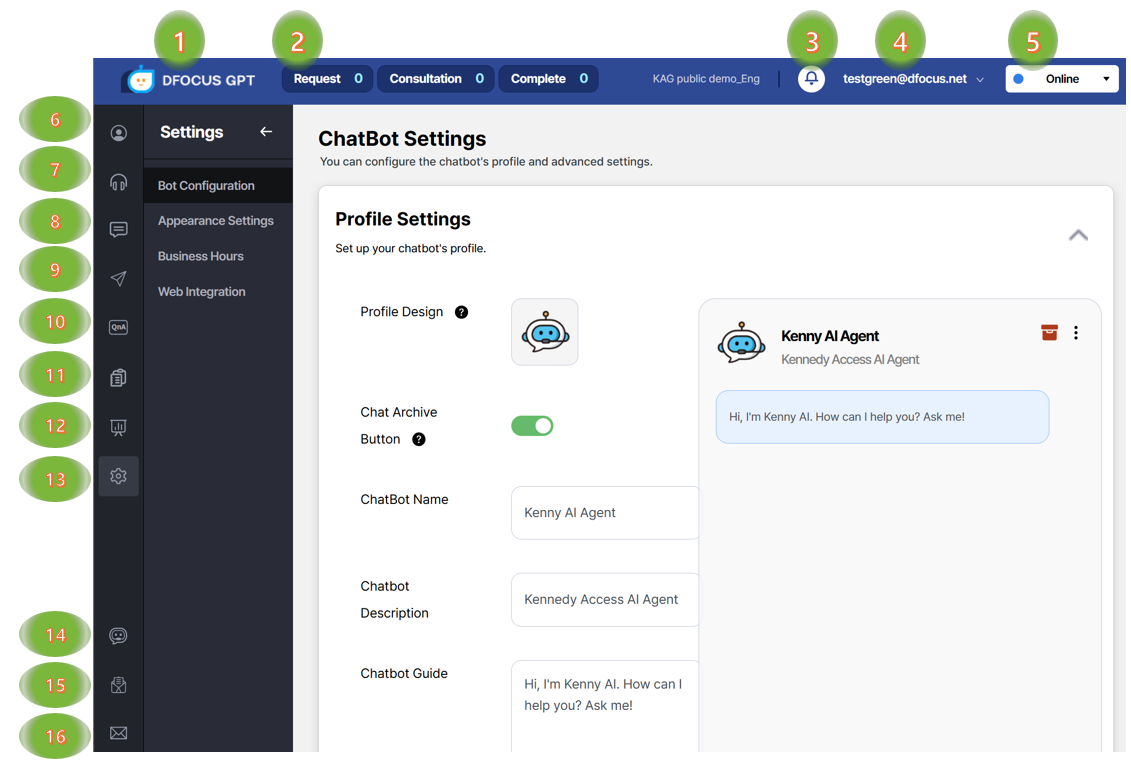
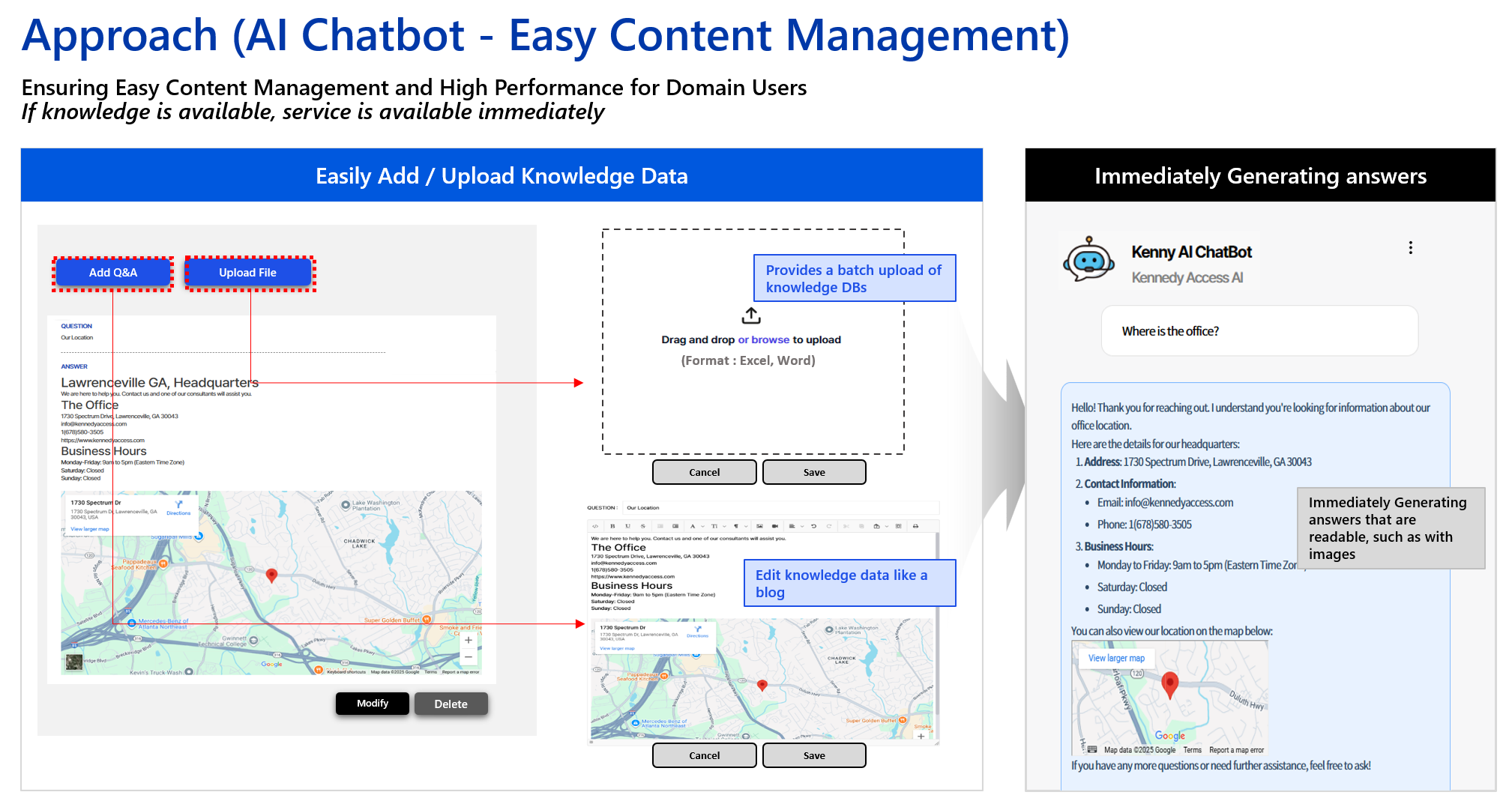
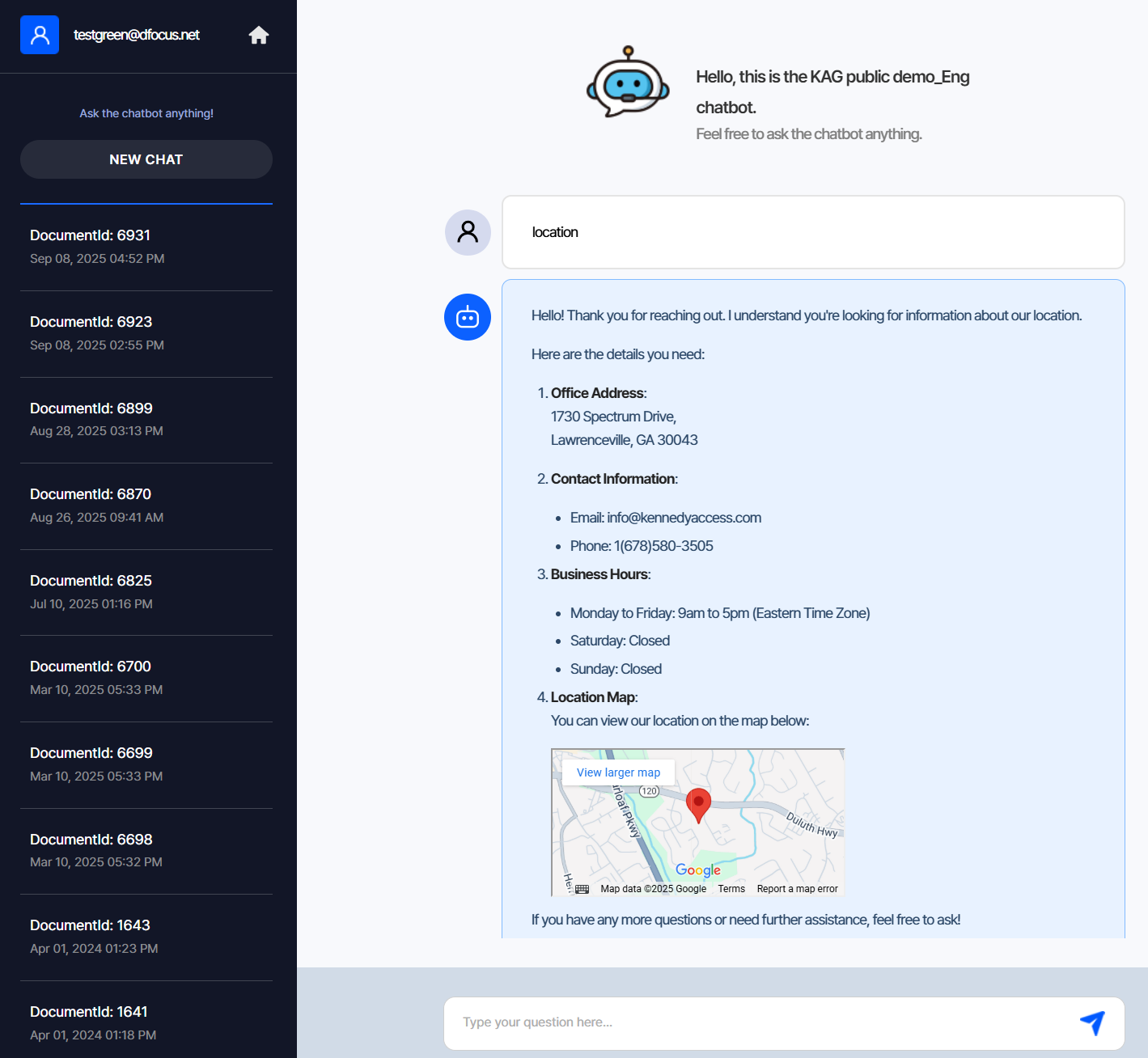
After organizing knowledge, test the chatbot with various questions.
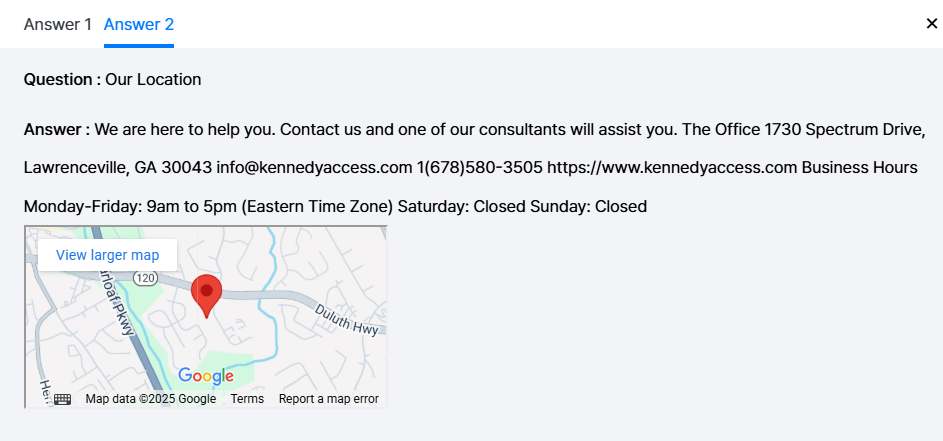
Click “More info” under an answer to see the sources referenced by the chatbot.
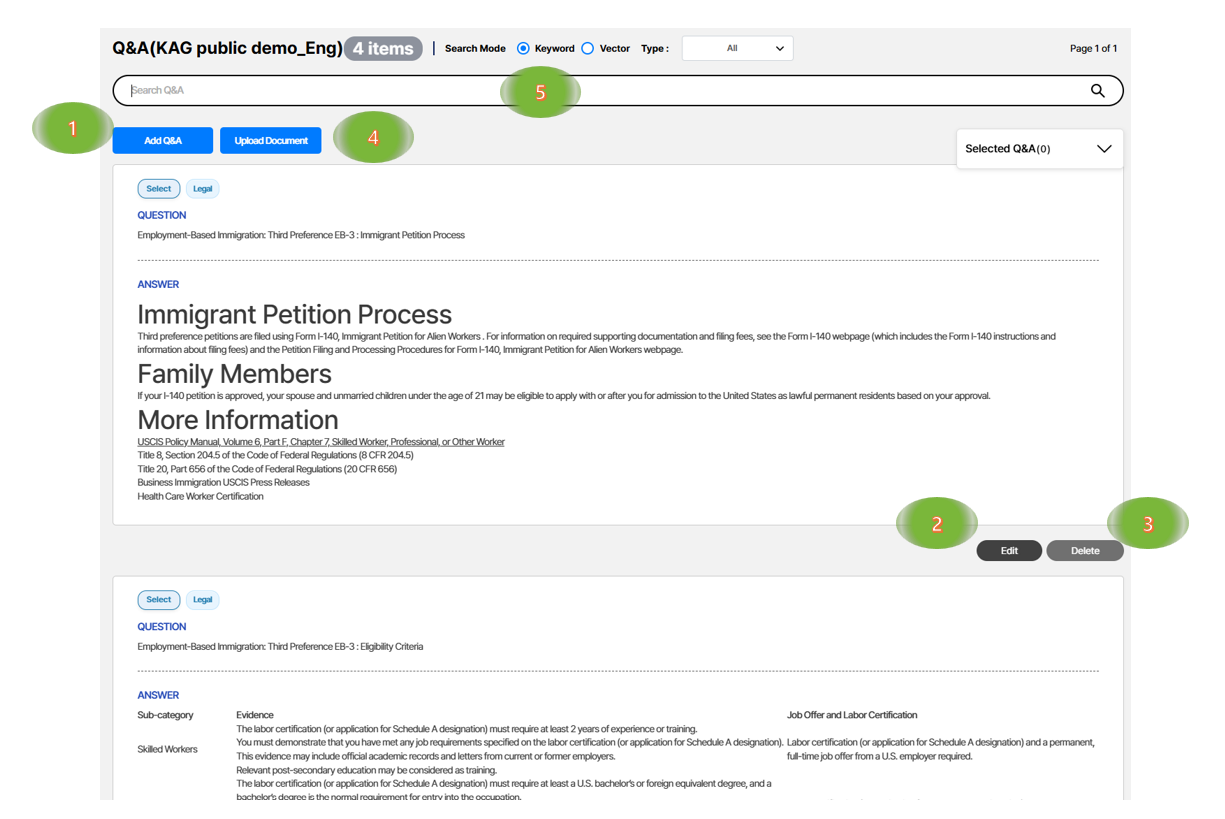
Manage frequently asked questions and their answers.

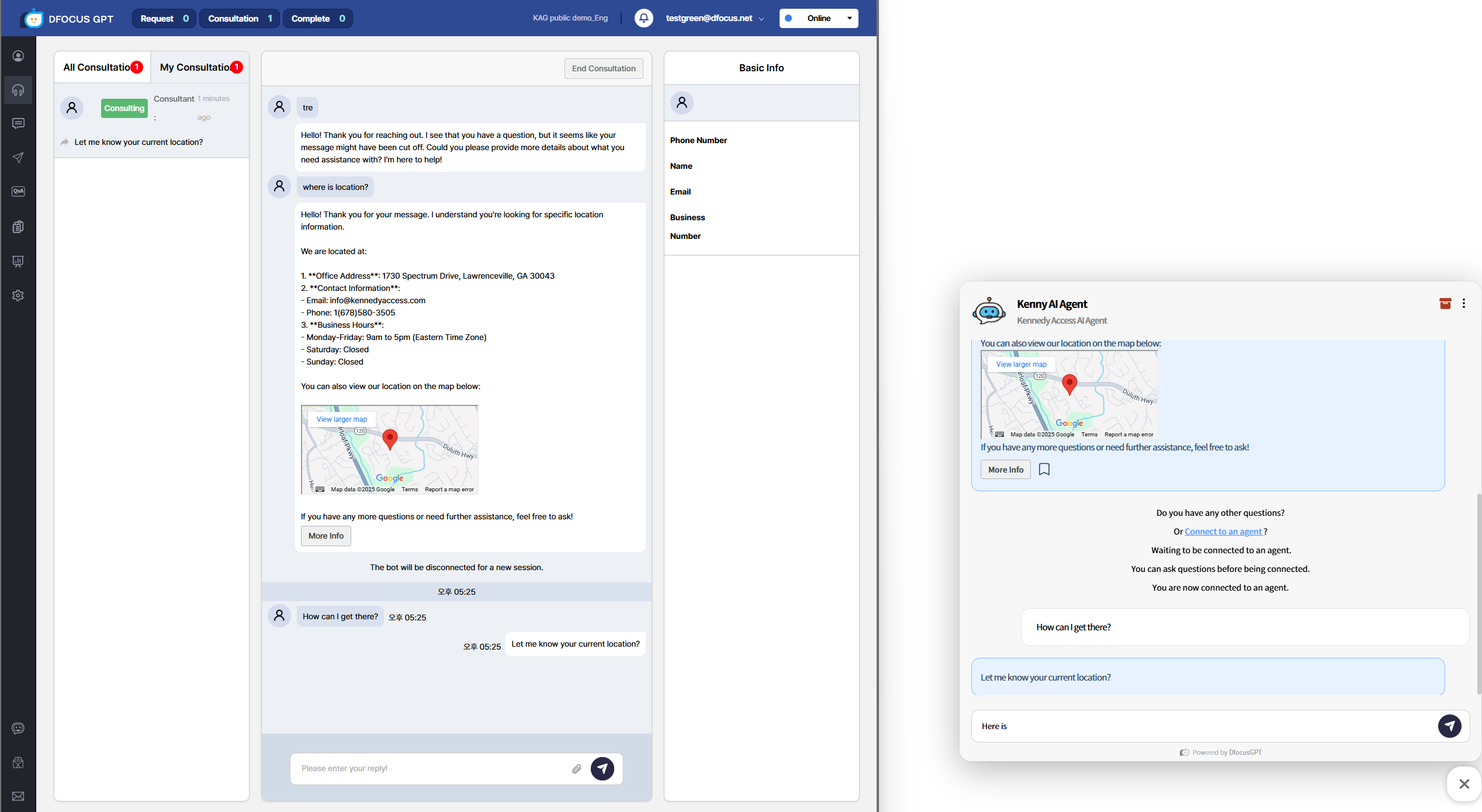
When a user requests agent handoff, an agent connects automatically or manually and continues the chat.
sequenceDiagram
    autonumber
    loop History
    User->>Chatbot: Question
    Chatbot->>Company KB: Search
    Company KB->>Chatbot: Results
    loop LLM
    Chatbot->>LLM: Prompt (Q + KB + History)
    LLM->>Chatbot: Answer
    end
    Chatbot->>User: LLM answer + sources
    Note right of Chatbot: Store Q&A
    end
    User->>Chatbot: Request agent handoff
    Chatbot->>User: Ask phone/name
    User->>Chatbot: Provide phone/name
    Chatbot->>Agent: Waiting for connection
    Agent->>Chatbot: Start
    Chatbot->>Agent: Provide chat history
    Agent->>User: Chat or phone
    Note right of Chatbot: Store Q&A
Video demo (Korean):
Bulk uploads must follow the required formats.
After preparing the file, click “Upload Document” and select your file.

Follow the template below.
Save an Excel file in the following format and upload it to import Q&A entries. The first row is a header and is ignored.
| Question | Answer |
|---|---|
| Q1 | A1 |
| Q2 | A2 |
| Q3 | A3 |
Use the provided Word sample format.
Ask the Dfocus website chatbot about Dfocus.
Ask the Dfocus website chatbot anything naturally.
This video asks about Dfocus’s location and hiring profile — recognized and answered in a human‑like way.
Explanation of administrative options.
Admin configuration details.
The chatbot shows the agent‑handoff button only during working hours.
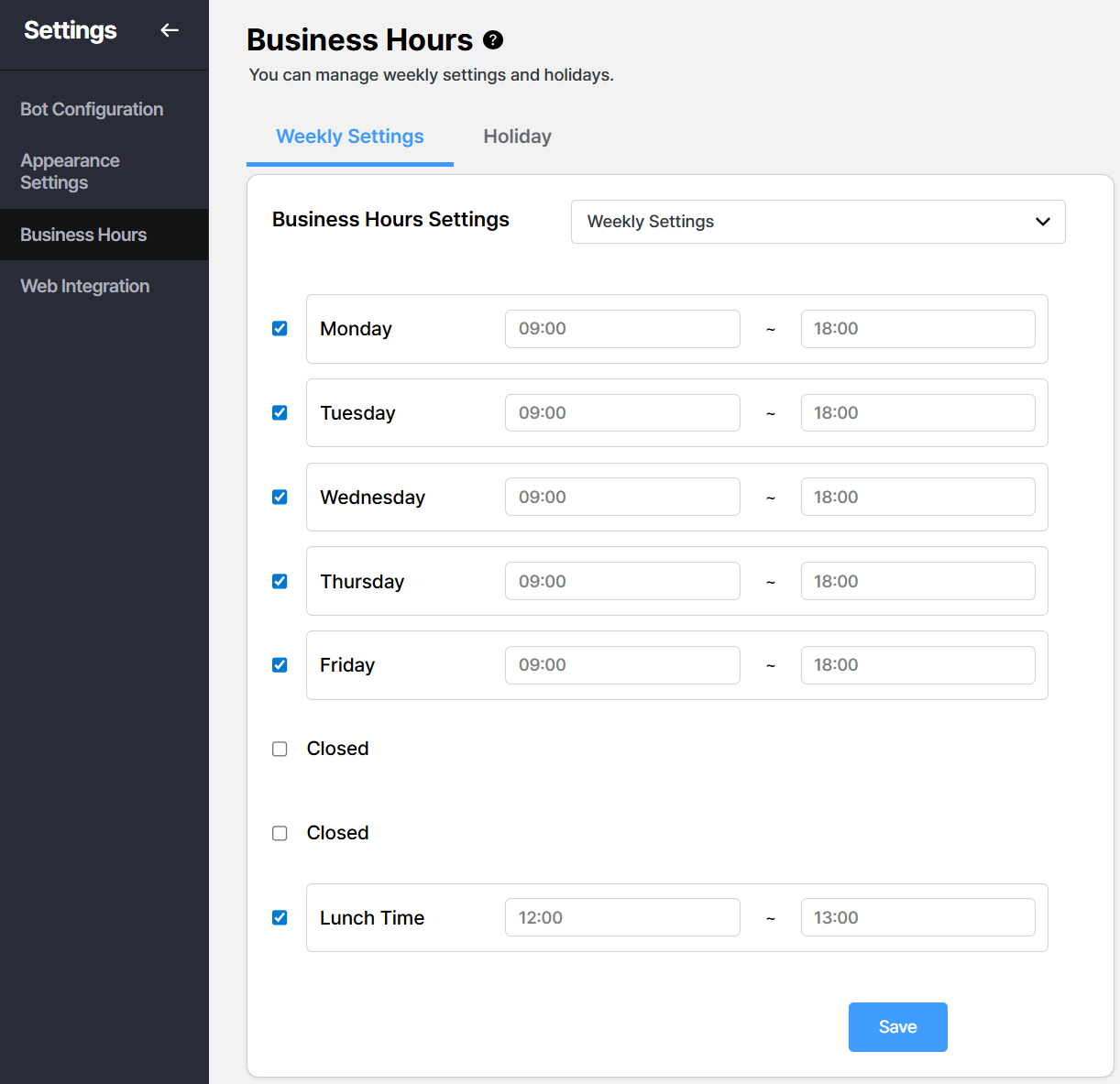
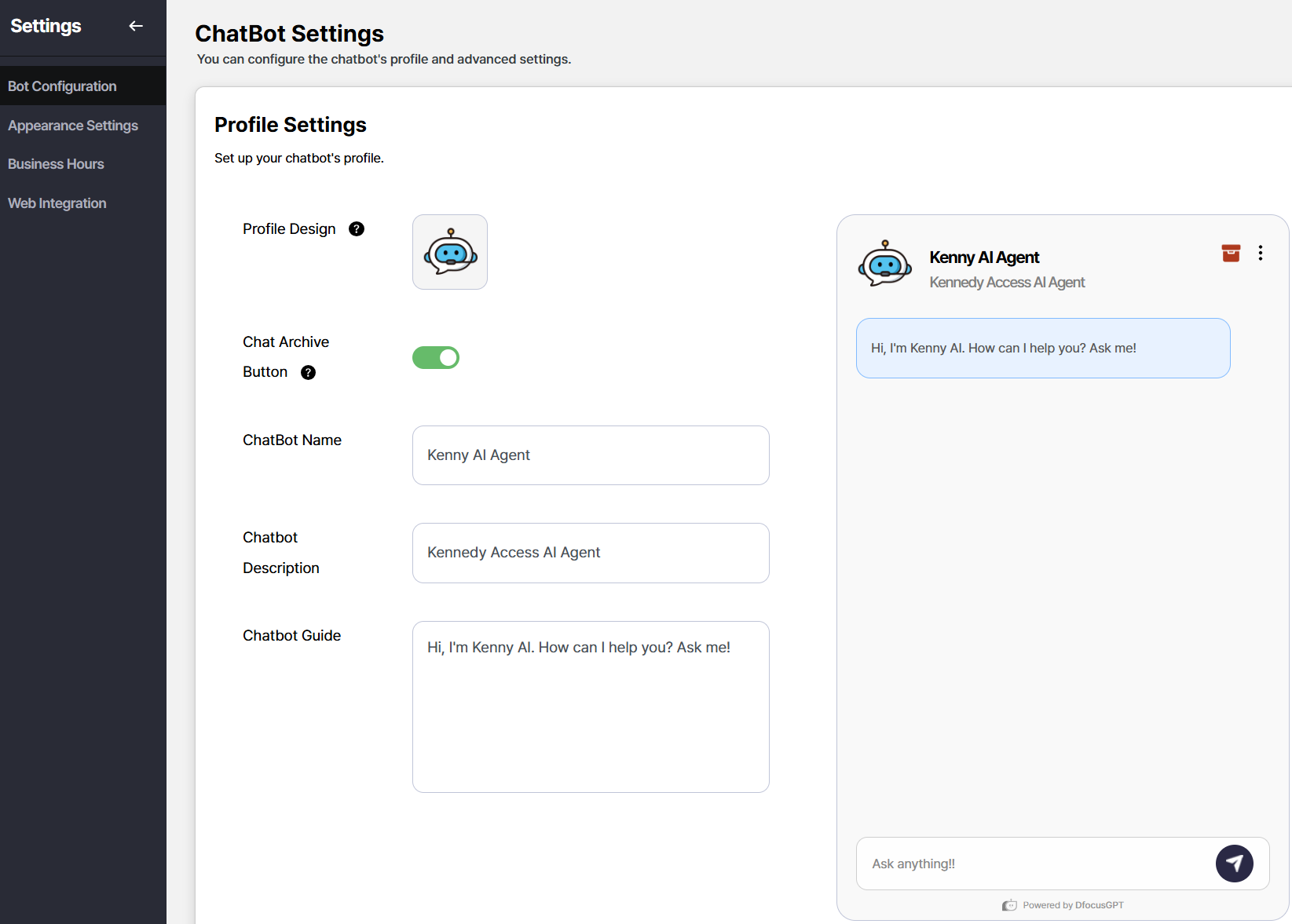
Change the text options and click Save to update the chatbot’s default phrases. Good phrasing guides users well.
For general inquiries: gptsupport@dfocus.net
For service questions, use contact form at Dfocus homepage.