Getting Started
Start using the DfocusGPT chatbot
Read this first to get set up quickly.
This section helps you try the project yourself.
Prerequisites
- Prepare the support manuals that the chatbot should reference.
- Sign in with an email account. Assign at least one admin.
Case studies
- Dfocus website intro chatbot – answers questions about our site and blog.
- iQuest ERP chatbot – consults on ERP; supports agent handoff.
Initial setup
- Agent management – register agents and assign categories.
- Knowledge management – upload Q&A or documents (Excel/Word bulk upload supported).
Demo
Request a demo: gptsupport@dfocus.net
1 - Case Studies
How DfocusGPT is used in real sites.
The customer information below is posted with prior consent. Unauthorized copying is strictly prohibited.
Dfocus Website Chatbot
Dfocus delivers projects with global solutions and in‑house tools. Explaining years of accumulated solution expertise is hard even for internal experts. The Dfocus website chatbot provides natural‑language answers about our solutions using DfocusGPT.
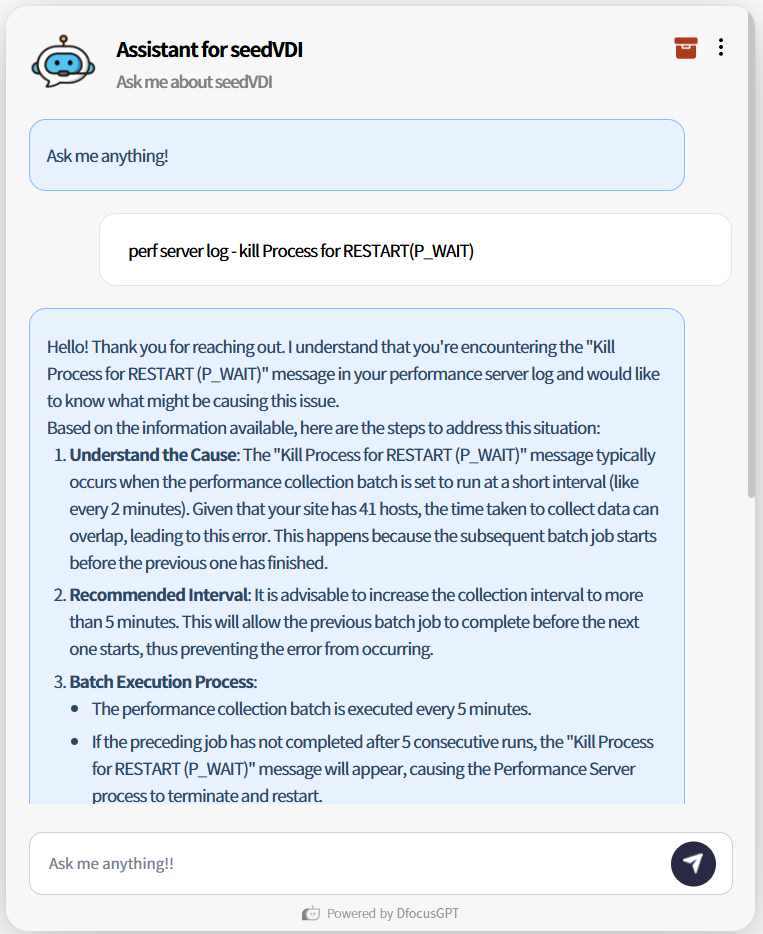
*Even topics like technical log in SeedVDI are explained clearly via LLM answers.
iQuest ERP Support Bot
iQuest provides a reasonably priced ERP for SMEs, including the “얼마에요 ERP”, enhanced with AI automation. With tens of thousands of active users and heavy site traffic, agents must guide many users across various solutions. DfocusGPT provides natural‑language initial responses and simple answers to reduce agent load.

*The bot clearly answers that 얼마에요 ERP 4.0 is a SaaS cloud solution usable immediately after signup without separate hardware or installation.
Notes
Warning
Copying customer information is strictly prohibited.gptsupport@dfocus.net