Agent Console
Agents respond to “Connect to agent” requests here.
less than a minute
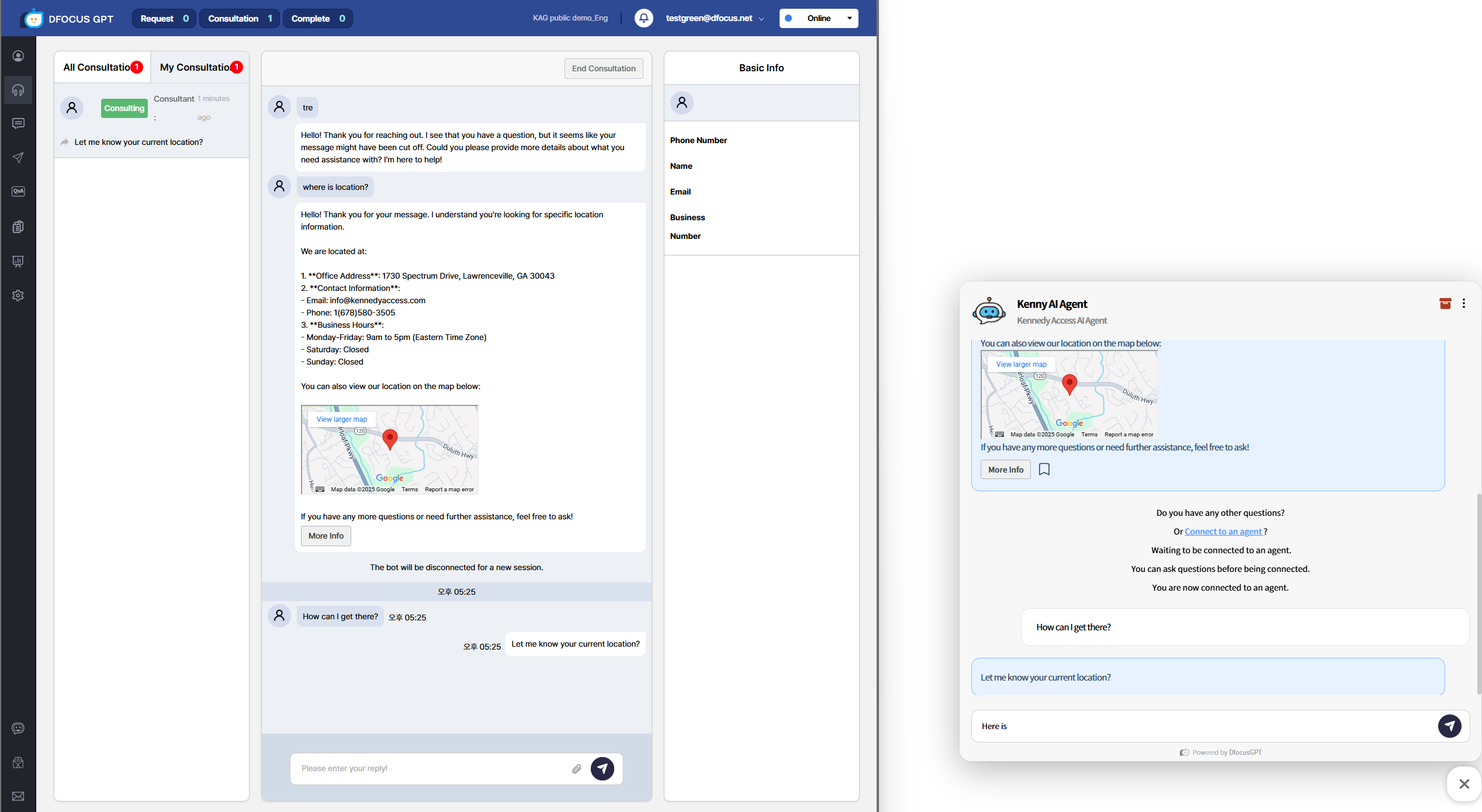
When a user requests agent handoff, an agent connects automatically or manually and continues the chat.
- The user selects “Connect to agent”.
- The agent starts the session from the waiting list.
- The middle panel shows the prior user–bot conversation.
- The user sees “Agent connected”.
- The agent chats with the user.
sequenceDiagram
    autonumber
    loop History
    User->>Chatbot: Question
    Chatbot->>Company KB: Search
    Company KB->>Chatbot: Results
    loop LLM
    Chatbot->>LLM: Prompt (Q + KB + History)
    LLM->>Chatbot: Answer
    end
    Chatbot->>User: LLM answer + sources
    Note right of Chatbot: Store Q&A
    end
    User->>Chatbot: Request agent handoff
    Chatbot->>User: Ask phone/name
    User->>Chatbot: Provide phone/name
    Chatbot->>Agent: Waiting for connection
    Agent->>Chatbot: Start
    Chatbot->>Agent: Provide chat history
    Agent->>User: Chat or phone
    Note right of Chatbot: Store Q&A
Video demo (Korean):