Home Screen
The initial screen after login.
less than a minute
Tooltips on each icon describe the menu items.
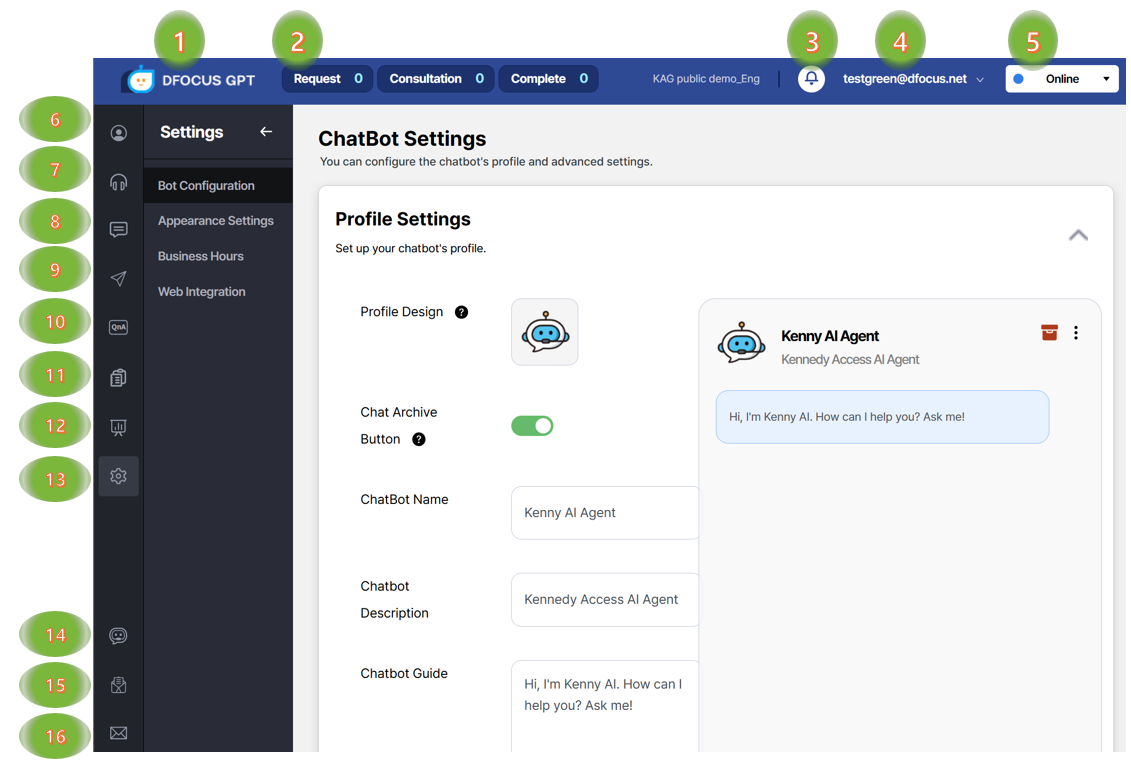
- Logo – returns to the home screen.
- Calls – pending, active, and finished agent calls.
- Notifications – async task notifications (e.g., upload complete).
- User – email menu with password change, logout, category switch.
- Status – set agent status (busy, offline, etc.).
- Agent management – add agents, set nicknames/brands.
- Consulting – view user info and chat history; respond appropriately.
- Chat history – user, bot, and agent conversations.
- Internal messenger – chat between signed‑in agents.
- Q&A Management – manage sources for chatbot answers.
- Recommended QA - from bulk text typed(or copied or upload), generate some recommedded FAQ and add it into Q&A database.
- Analytics – dashboards for load, sessions by agent/category, usage details.
- Settings – default phrases, working hours, and embed scripts.
- Chatbot testing – test performance after entering knowledge.
- Inquiries – view your submitted requests.
- Contact – submit quick questions while using the system.
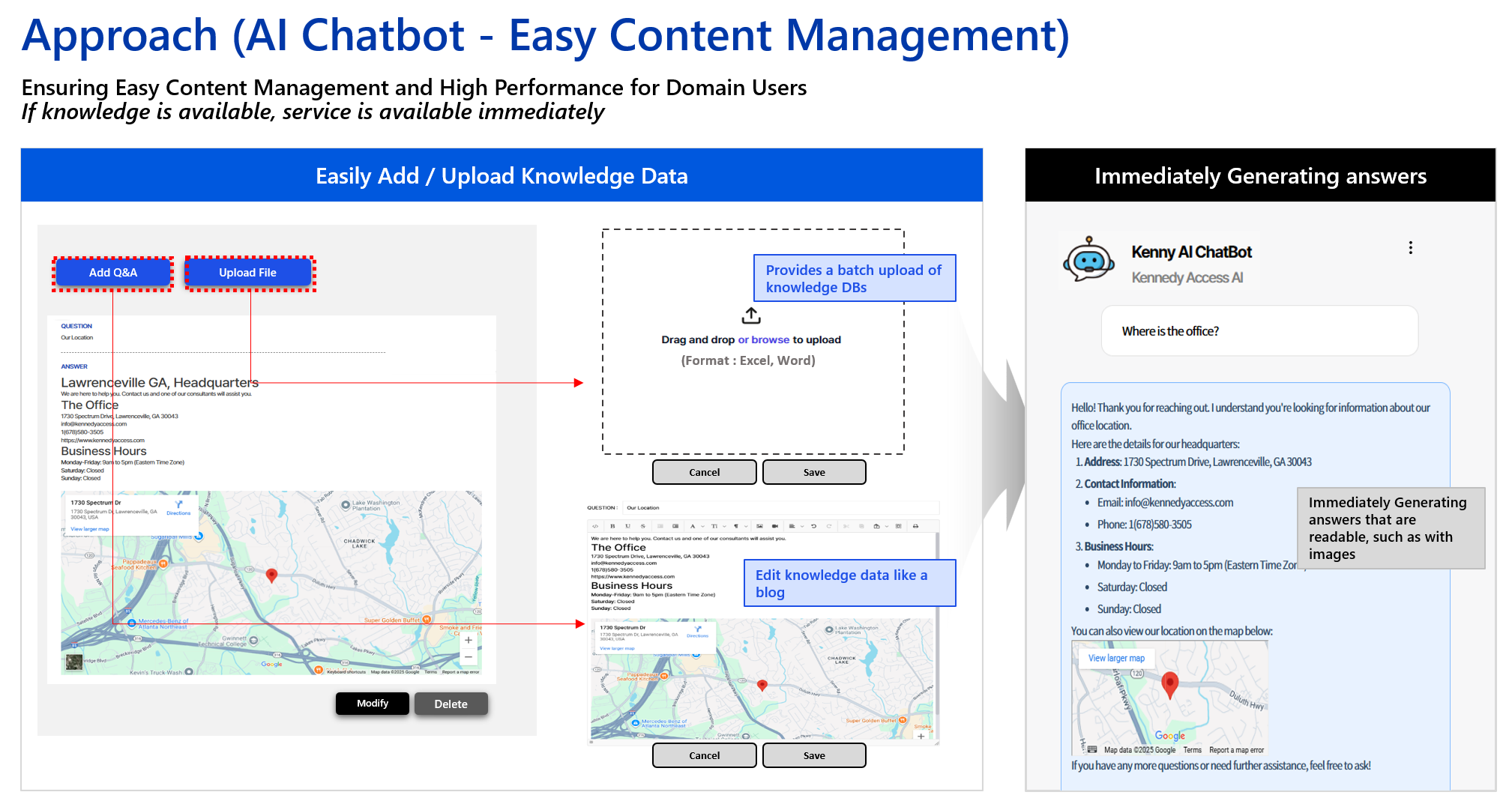
Intuitive admin UI
- Bulk upload searchable Word documents with images; edit entries easily.
- Build a dedicated “manual‑style” chatbot window that renders images nicely.